Independent project · Preview
EveryGen AI Image to Video
Give a reference image a clear movement direction. Plan the framing, camera action and details you want to preserve.
EveryGen AI image to video is planned for scenes where a starting reference matters. A clear product photograph, character portrait or landscape can establish the composition before you describe movement. Write down which details must stay consistent, and avoid asking a single image to support a completely different viewpoint. The current preview accepts a written description of your reference; image upload and generation are not available. You can still prepare a useful motion brief, choose an intended aspect ratio and save your notes locally. Use images you have permission to adapt when you later work with a generation service.
This page is part of the independent EveryGen AI video generator preview. A useful brief should say what to preserve as well as what should move. Download your notes before leaving: this preview does not create an account, save projects online or remember unsaved changes after a reload. EveryGen AI will publish model availability and export rules before generation is offered.
Start with what the image must keep
Image to video begins with a reference, so the prompt should separate inherited detail from new motion. Name the reference, list the subject’s shape, face, material or packaging that must remain stable, then describe one action and one camera move. “Make it cinematic” is too broad if the product label must stay readable. The reference-lock pattern from the public Seedance prompt library is useful here: explicitly state what to inherit and what not to invent. EveryGen’s preview accepts written reference notes but does not upload an image. The page is a planning surface for the handoff between a source frame and a future video endpoint.
Ratio, motion strength and output checks
Choose 16:9 for a wide product or landscape frame, 9:16 when the subject must sit inside a phone-safe area, and 1:1 only when the distribution context supports it. The same reference can behave differently after a crop, so record the actual frame size and the target duration. If a provider exposes motion strength, camera presets or reference weight, change one setting per test. Inspect the first, middle and final seconds for geometry, hands, faces, package edges and unwanted background movement. Exact controls vary by endpoint and remain unverified for EveryGen.
Cost is often paid in identity retries
A reference workflow should record why a take failed: the subject changed, the camera ignored the direction, the crop removed the important detail, or the provider rejected the input. Count image preparation and video retries separately, then combine them when calculating the cost of a usable shot. If a clip is visually impressive but the product no longer matches the reference, it is a rejected take for a product workflow. A future EveryGen run summary should make those choices visible before the user spends credits. The current preview lets you write the notes and download the brief locally.
Prompt study: lock, then move
Use this starting structure: “REFERENCE: one amber bottle on stone. INHERIT: silhouette, cap, material, label position and contact shadow. DO NOT CHANGE: bottle count, shape or label placement. MOTION: slow left-to-right camera move while a highlight travels across the glass. No hands, extra objects or rendered text.” It is deliberately narrow. First test whether the reference survives; only then add a faster camera, a second action or a more complex background.
A clean handoff for the next tool
Keep the source frame, the exact crop and the motion note together in one brief. Add a small acceptance checklist: the subject count is unchanged, the important edge or label remains readable, the camera completes its move and the final frame still has room for the intended edit. If a provider changes the image before motion begins, record that as an input failure rather than trying to repair it with a longer prompt. This handoff makes a later comparison useful because the image stage and the video stage can be reviewed separately.
Shape your scene
Local brief preview
Concept photograph. Not generated by EveryGen AI.
A brief today. A video workflow next.
There is no connected model, credit charge or video output in this preview. Use the brief to organize an idea; saving it does not queue a generation job.
Need a starting point? Browse templatesPrompt study
A visual brief to carry into this workflow
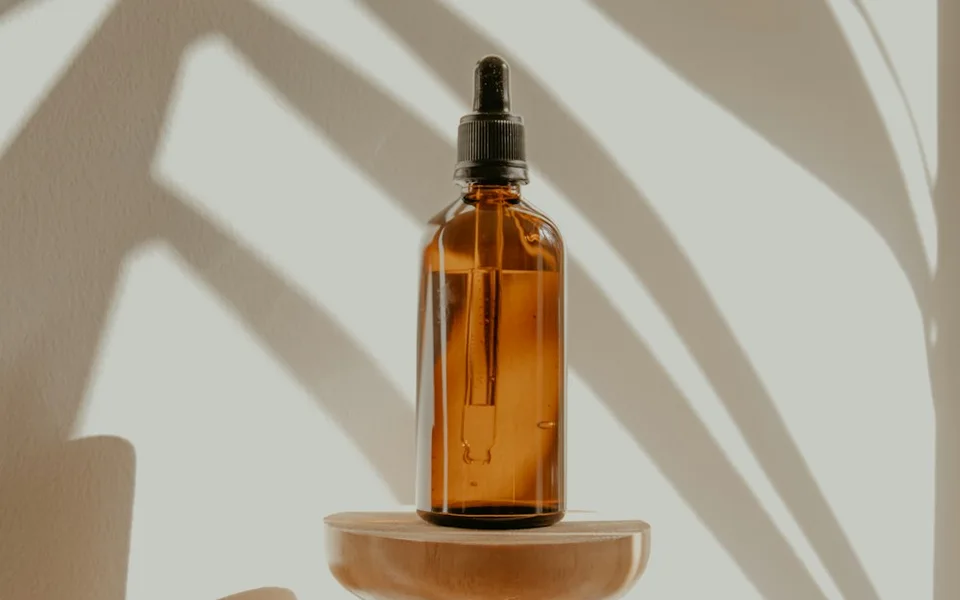
Reference identity lock
REFERENCE: PRODUCT_A, one unbranded amber bottle. INHERIT: bottle silhouette, cap, amber glass, label position and stone contact shadow. DO NOT CHANGE: bottle count, shape or label placement. MOTION: a slow left-to-right camera move; the bottle stays planted while a soft highlight travels across the glass. No added text, hands or extra objects.
Open the brief preview