Independent project · Preview
EveryGen Nano Banana Pro
Nano Banana Pro on EveryGen AI: evaluation ideas, planned workflows and integration status. This model is not connected.
Nano Banana Pro is one of the entries being considered for the EveryGen AI video generator. It is not connected to this website. The displayed name comes from the project’s planning brief; its exact provider version, availability and specifications still require independent verification before a launch commitment.
Image preparation: what to evaluate first
A Nano Banana Pro evaluation guide for preparing image references before video: identity, layout, handoff fields, cost and when to use a video model instead.
Prepare a frame that a video model can read
Nano Banana Pro belongs in the preparation stage of the workflow. The goal is not a decorative still; it is a reference with a stable subject, useful composition and enough visual information for a later motion prompt. Start with one object or one character. State the camera angle, visible materials and background structure. If you need a storyboard grid, number the panels and keep the character description outside the action line so it can be reused. The public Seedance library’s storyboard-grid and reference-lock patterns suggest this two-stage method. EveryGen will only call it an integration after the exact image endpoint and its relationship to a video provider are verified.
Image parameters and video handoff
Record the image’s actual dimensions, crop and subject count before sending it to a video workflow. A portrait reference may need a 9:16 output, while a product hero frame may need empty space for a 16:9 camera move. Check small but important details: package geometry, face direction, hand count, label placement and the horizon. Then write a handoff note that says what the video stage should preserve and what it is allowed to animate. Do not assume that an image model’s output size, edit mode or text accuracy carries into the video endpoint. Those are separate capabilities and must be evaluated separately.
Counting preparation cost
An image reference can look inexpensive while quietly adding multiple iterations to a video job. Track the first useful frame, the number of redraws, any crop repair and the time spent cleaning a reference for a provider. If a product label or character identity matters, reject a frame that introduces errors before it reaches video generation. The future EveryGen pricing model should make the handoff visible: image preparation credits, video credits and retry behavior should not be collapsed into an unexplained number. No price or free allowance has been announced for this candidate.
When image preparation is the better choice
Use this candidate when the team needs a clean starting frame, a storyboard board or a controlled visual reference before deciding on motion. Switch to Kling when the next question is whether the reference stays stable in a moving clip. Use a direct editor when you only need a factual crop, colour correction or background removal and do not need a newly synthesized scene. This separation keeps a reference workflow honest: a strong still can improve a video prompt, but it is not itself a video capability.
Evaluation snapshot
- Availability
- Not connected to EveryGen; this page treats it as an image-stage candidate only.
- Evaluation focus
- Reference clarity, subject continuity, composition control and a clean handoff into a video workflow.
- Version, limits and price
- The exact image endpoint, edit inputs, output size, commercial terms and price need independent verification.
EveryGen AI does not currently offer generation, free credits or exports from this model. You can prepare a scene now and keep the brief for later evaluation.
Prepare a text brief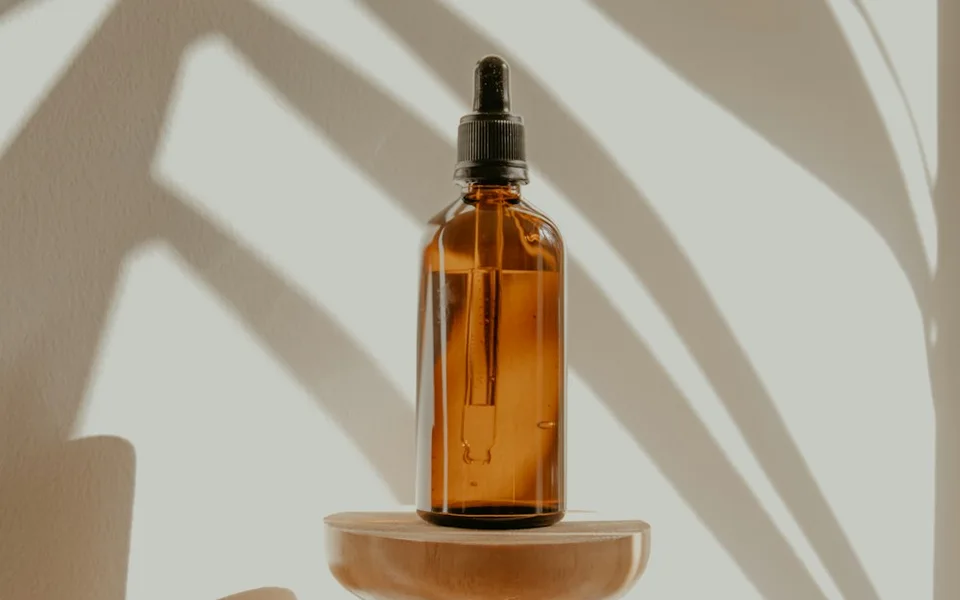
Storyboard handoff frame
Create a clean four-panel storyboard sheet for one unbranded amber bottle: 1 wide table reveal, 2 medium three-quarter view, 3 close detail of glass and label placement, 4 hero frame with empty space for copy. Number panels clearly. Keep the bottle shape, cap and surface consistent. No invented brand text.
Open the brief previewWatch a related example
Mini DV coffee ASMR vlog
MiniMax H3 Max 768p retest
Source: GoodCase.aiBuild a brief like this